Blogs
|
I truly believe financial literacy is one of important literacies our students should attain before they graduate high school. I have blogged about ideas to enhance this across the curriculum and consider it one of the thirteen essential literacies. Students are often taught, in a social studies class or a economics class, about the impact the decisions made by businesses and government have (and have had) on society and the economic climate. Students study capitalism, the Great Depression, War Bonds, government bail-outs of corporations, manufacturing, and other related events..However, the area that is often overlooked is the personal finance component of financial literacy. Sometimes, how to develop a budget is taught in a math class when learning about spreadsheets. And I remember working in pairs in my high school health class while we developed a budget for a wedding. But there is not often a systemic curriculum for real-life applications of personal finance, especially in this digital age. Learning how to balance a checkbook is great, but what about online banking and investing? Planning for retirement? Paying taxes?H&R Block provides a wonderful contest each year. the H&R Budget Challenge, that both helps students learn and practice personal financial literacy, as well as offers their teachers and themselves a chance to win grants and scholarships! The H&R Block Budget Challenge is a free online contest with the goal to teach students strong budgeting skills and fiscal discipline. The contest encourages students to learn personal finance in a fun, engaging way while competing against other classrooms and students for $3 million in classroom grants and student scholarships! These awards include 60 chances for classroom grants up to $5000, 132 chances of student scholarships of $20,000, and a grand prize student scholarship of $100,000.The Budget Challenge is a teen financial literacy program in the form of an online game that simulates real life financial and personal money planning of budgets, retirement, taxes, and more. The Budget Challenge is open to students 14 years of age or over in grades 9-12. There are multiple start dates for the competition (first one starting September 10 and last one over April 21) so it would be easy to fit into your curriculum when you see fit. Answers to all your questions about the Budget Challenge may be found here: http://www.hrblockdollarsandsense.com/Students will all need a personal email account, teachers are required to inform student parents/guardians about the program and prizes. and also subscribe to the educator mailing list for the contest.There is both an iOS and and Android app available to help students keep track of their progress in the H & R Block Budget Challenge and students can also access the information through the Web site when using a computer or Chromebook.Budget Challenge App screenshotsGET READY FOR THE BUDGET CHALLENGEI know if I was signing my class up to participate in the H&R Block Budget Challenge, I would want to have them prepared with some background information.There are online materials and sets of state standards to help teachers develop lessons and units dealing with personal finance into and across the curriculum. I have included resources in the my blog post, but I especially like the Council for Economic Education's set of standards for financial literacy which cover skills for grades 4, 8, 9 and 12.Earning incomeBuying goods and servicesUsing creditSavingFinancial investingProtecting and insuringThe Mint.org site also offers tips and tricks especially for teens in the areas of earning, saving, spending, owing, tracking, giving, investing, and safeguarding.There are also apps and interactive online sites that can get your students ready for the H&R Block Budget Challenge!Lesson plans created by teachers for previous years of the H&R Budget Challenge can be found at the We Are Teachers site. These will give you some ideas of the types of lessons that can be designed.Thrive and Shine is a app that teaches teens and young adults about personal finance. It is available for the iOS and Android platforms as well as a Web app. The site includes a curriculum and ideas for teachers, too.Thrive and Shine screenshotUnleash the Loot! is an iPad app that is intended for grades 5-8, but would be fun for the high school students to play, too. It can help them realize the basics of personal literacy such as setting goals, budgeting, earning money, saving and spending, and giving to charity.Unleash the Loot! screenshotThe Mint.org online site includes interactive scenarios for kids and teens to work through to learn about personal financial literacy. Here are some of the activities for teens.The Be Your Own Boss ChallengeThe Truth About MillionairesSaving Calculator "When Will You Be a Millionaire?"Writing a CheckThe Spending ChallengeWhat Kind of Spender are You?I Paid How Much?Credit Card IQ?Determine Your BudgetBalance Your Checking AccountThe Practical Money Skills for Life site by Visa includes some short interactive games to help students budget. One is called "Road Trip for Savings" and you have to collect money by doing "chores" as you drive across the US. I never was able to get anywhere, running out of money for gas and insurance, but students would probably do just fine!There are other games on the site including two well-created sports games, Financial Soccer and Financial Football (also available for iOS), that have students answering questions in order to advance up the field to score. For iOS and Android, there is a Plan'it Prom app for both iOS and Android to help students and parents budget for the prom!I hope you sign up for the H&R Block Budget Challenge and encourage your students to participate!
Visit Kathy's Web pages:
Kathy Schrock's Home Page
Kathy Schrock's Guide to Everything
Kathy Schrock
.
Blog
.
<span class='date ' tip=''><i class='icon-time'></i> Aug 05, 2015 05:58am</span>
|
|
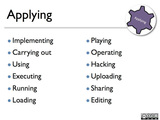
This is an edited re-posting of a blog post in 2013, which originally appeared on the now-defunct Sony Education Ambassadors site.Bloom's Revised Taxonomy is a pedagogical model we are all familiar with. This is the third in a series of resources outlining apps, Web sites, and ideas for using Bloom's Revised Taxonomy to support teaching and learning. This resource deals with Android apps for the third of Bloom's levels, applying.The previous posts in the series were:An overview of Bloom's and apps to support the remembering levelApps to support the understanding levelAPPLYING LEVELApplying is the cognitive skill set in which students use learned material through products like models, presentation, interviews and simulations, to execute or implement a procedure.Some activities at the applying level include:Diane Darrow, in her Edutopia series, outlines the questions you should consider when evaluating an app for use at the applying level.ANDROID APPS AND WEB SITES TO SUPPORT THE APPLYING LEVELSharing: Audioboomhttps://play.google.com/store/apps/developer?id=audioBoom&hl=enOne activity at the applying level is sharing. Audioboom is an application for recording and creating a podcast. This free version allows students to create audio up to 3 minutes in length and post that to their own Audioboom page on the web. They can add titles, tags, geolocation info and a photo to the recording before it is uploaded. Here is a great overview of the use of podcasting in the classroom by Tony Vincent.AudioboomTeaching: Explain Everything ($2.99)https://play.google.com/store/apps/details?id=com.morriscooke.explaineverything&hl=enExplain Everything is a full-featured screencapture/screencaster program. It allows students to share a great idea or explain a tricky concept. They can bring in images and PDF documents and mark them up, take a photo directly, animate objects, or simply draw out the concept while recording voice audio at the same time. Students can demonstrate their learning by creating a tutorial or teaching unit for others.Explain EverythingPublishing: Tumblrhttps://play.google.com/store/apps/details?id=com.tumblrActivities that involve publishing learned material in the form of a newspaper, article, or story can easily be done with the Tumblr app. With the app, students can post text, images, videos, and much more to showcase the application of their content knowledge. TumblrDemonstrating: Animation Desk - Sketch & Drawhttps://play.google.com/store/apps/details?id=com.kdanmobile.android.animationdeskDemonstrating applied knowledge can be done with a drawing animation program. There are many of these, but I like Animation Desk Lite for hand-drawn animations. It includes all the best features of an animation program-- layers, onion skinning, duplication of previous pages, easy frame management, and the completed animations can be sent out to FB, YouTube, the photo library, emailed, or saved as PDFs. Users can even record their voice as part of the demonstration. KQED offers this article about use of stop-motion animation ideas for the elementary classroom.Animation DeskAnother stop-motion animation program, StickDraw, might be easier for younger students. Students draw and manipulate simple images.StickDrawPerforming a skit: Comic and Meme Creatorhttps://play.google.com/store/apps/details?id=com.tiltedchair.cacomic&hl=enStudents can showcase the application of their acquired knowledge by performing a skit. Create A Comic allows students to add various characters and speech bubbles to impart the information in their comic.Comic and Meme CreatorFOLLOW UP These are just some apps to get you started! The Google Play Store offers a ton of other apps that can be used at this level (or sometimes at all the Bloom's levels!) You can find more suggestions on my Bloomin' Apps page-- look for the chart for Android apps!
Visit Kathy's Web pages:
Kathy Schrock's Home Page
Kathy Schrock's Guide to Everything
Kathy Schrock
.
Blog
.
<span class='date ' tip=''><i class='icon-time'></i> Aug 05, 2015 05:57am</span>
|
|
Welcome to our Inaugural Round Up! The goal of our site is to provide you with a daily overview of the latest posts, lessons, reviews, apps, and news in the field of educational technology. We strive to find the most relevant and useful integration ideas and put them all together in one place. And, while you're here, feel free to check out our ever-growing collection of lesson plans, product reviews, and editorials, all designed to help you integrate technology into your classroom and curriculum. So, without further ado, I give you the Weekend Round Up: Edudemic has some great content up from this weekend. First, they've got an article entitled, "How Many Teachers will we need by 2015?" which is about UNESCO's new infographic exploring the global need for new educators over the next two years. The main point of the article is that the supply of teachers is failing to keep up with the global demand (especially in Sub-Saharan Africa) and that we'll need approximately 6.8 million new teachers over the next two years for our school systems to be effective. Next up, they've got a post outlining "4 Popular Screencasting Tools." Screencasting is a way to share a recording of what's happening on your screen. It can be a great resource for providing tutorials and lessons for students to watch outside of the classroom. They review:Camtasia (30-day free trial, $299 to buy), Screencast-o-matic (Free for 15-minute recordings or $15/year for unlimited use)ScreenFlow 4 (Free trial, $99 to buy)iShowU ($20-$60 depending on the version)Personally, I'm a big fan of Jing. It's free, has a lot of options, and has an easy to use interface as well. Finally, Edudemic has a new post entitled, "5 Tools for Making Custom Timelines." Occasionally, timelines are overlooked in classes outside of history and social studies but they can be great tools in English (timeline of events in a novel) or science (timeline of lab procedures) as well. They review:Time Toast (Free with easy Facebook integration)Meograph ($20 and up)Capzles (Free with mobile iOS support)Dipity (3 for free and $5 a month after that)XTimeline (Free and great for collaborative work)Time Toast is pretty excellent in my opinion and I'm also a fan of TimeGlider, it's free and fairly simple.(I've got a lesson plan up for TimeGlider in the Lesson Plans section of the site) Next up, over at Getting Smart, we've got 3 new posts from the Weekend. Their first post, "A District Guide to Online Learning" is an excellent resource for any district considering offering online classes. They outline 10 steps/ideas every district should consider before launching online course offerings.Personally, I'm a fan of K-12 Online Curriculum (which is mentioned in the article). Our district currently uses their services for online electives and they've been incredibly supportive, user friendly, well-created, and an overall pleasure to work with. The article also discusses Apex, Connections, and Florida Virtual as other options for online curriculum. Getting Smart's second weekend post discusses the launching of 10 New EdTech Startup Companies by the ImagineK12 organization. It's a pretty exciting list of companies. For me, one of the most interesting is Accredible which is focused on creating "the diploma of the future with a focus on MOOC and self-educated students" (MOOCs are Massive Open Online Courses). Finally, Getting Smart has a story about "Hacker Communities & Local Communities" The article discusses the growing popularity of the Hacker Scouts, a non profit organization which was founded last fall and focuses on building STEAM skills and community connections in today's youth.(STEAM stands for Science, Technology, Engineering, Art, and Math) Emerging Ed Tech has a new post up about Moby Max. Moby Max (Formerly Moby Math) is a K-8 curriculum system that helps educators identify missing skill sets and monitor student progress. It's great for data collection and analysis, helping with student motivation, and differentiating student instruction. [Article Link] [Moby Max Link] Over at the EdTechReview there's a new article and infographic discussing "How to Make the Jump to Digital" While the infographic is sponsored by Online Colleges.com (an organization that supports online schools like the University of Phoenix), it's widely applicable and has some excellent information about tech-based learning. [ Infographic Download ] EdCetera has an excellent article discussing "How Technology is Helping Improve Graduation Rates." The article focuses on the declining rate of students graduating from college and how Educational Technology can help. It discusses how new tools like MOOCs and virtual textbooks can go a long way to making college more affordable and accessible. Finally, the always awesome Free Technology for Teachers has three new posts up from this weekend. First up, if you have an interest in learning how to blog, Richard Byrne has some seats available in his new blogging course. It will be an online webinar, cost $87, and be divided between two 90 minute classes. [ Information Link ] Richard also has a new video post outlining "How to Use Audacity and Other Tools to Create Podcasts." Podcasts can be excellent tools (much like screencasts) for providing instruction outside of the classroom. Educators who are interested in "Flipping the Classroom" should familiarize themselves with podcasts, videocasts, and screencasts, as they can make the process a whole lot easier.Finally, Free Tech 4 Teachers has a post entitled "New Tools Added to Wideo" discussing the new support the program Wideo has added. Wideo is an excellent (and free) program for creating online animations and movies. Plus, they've now added a voice over option and improved scene arrangement support. We'll have a review up for Wideo soon, but I highly recommend checking it out. [ Wideo Link ] All in all, a busy weekend for the field of educational technology. But, in reality, it's a busy field every weekend, which is the main reason I started this site.With the ever-growing importance and ubiquitousness of technology in education, it has never been more necessary for educators to be aware of new tools and ideas in the field. We will continually work towards providing an unbiased and wide-ranging overview of everything ed tech, and I hope you'll join me for our daily updates. Thanks for reading, - The Round Up
Michael Karlin
.
Blog
.
<span class='date ' tip=''><i class='icon-time'></i> Aug 05, 2015 05:57am</span>
|
|
Today's Round Up begins over at Moving at the Speed of Creativity, an excellent blog from Wes Fryer. His first post of the day is entitled "More than Bandwidth: FCC Should Address Content Filtering in Schools" It's a thought-provoking post about the role the FCC should play in regards to internet content filtering. He argues that "The FCC and other government agencies also need to pay attention to continuing policies of draconian content filtering in many public schools." He talks about the role the FCC could play in promoting research that highlights the detrimental affects of restrictive content filtering. His second post for today, "STEM and Scratch Resources" provides a great list of support resources for teachers of science, tech, engineering, and math classes. If you're a STEMer, I'd recommend giving it a look. And if you're unfamiliar with Scratch, it's a wonderful program for teaching programming basics. Over at Getting Smart, there is a new post about "E-Rate and Blended Learning." If you're not familiar with E-Rate, it's a program run by the FCC that is supported by a tax most people pay on their phone or wireless bill. E-Rate provides discounts to schools and libraries to help them obtain affordable internet. The article discusses the intricacies of applying for E-Rate funding and the interaction between E-Rate funding and running blended learning programs (where students receive at least some of their instruction through online means). The post goes on to discuss recommendations for the FCC to improve the E-Rate program and other ways we can help improve broadband capabilities for K-12 education. Teach Thought has a good write up on "26 Teacher Tools to Create Online Assessments." It's an list that covers a huge variety of resources. If you haven't considered adding online assessments to your curriculum, they can be a powerful tool - providing instant feedback and allowing students to take assessments wherever they prefer. EdCetera has a post about the relatively new company, Parchment. The article, "How Parchment is Powering Innovation for Credentials and Transcripts" discusses the role Parchment plans on playing in the future of e-transcripts and credentials. In short, the company would like to serve as a online hub for all types of digital credentials. Parchment was founded by Blackboard's creator, Matthew Pittinsky. From Educational Technology we've got two new posts from today. First up is about "21 ways to use Edmodo in your classroom." If you're not familiar with Edmodo, it is a learning platform that lets students and teachers interact online by sending notes, providing feedback, turning in assignments, and so on. It's an excellent resource and worth looking into. They also have up a highly enjoyable post covering the "Top 10 TED Talks on Digital Lives for Teachers" The videos cover a wide span of issues, from "Why Videos go Viral" to "Social Media and the End of Gender." There are some wonderful videos here, and if you've never watched a TED talk before, this is a great place to start. Last up, Edudemic has two new posts. The first one discusses Adobe's new vision for the future of their software. Adobe is now offering monthly subscriptions to CC (the Creative Cloud) which will run $50/month ($20 for students and teachers) and will allow a user unlimited use of the Adobe software suite. A huge change to be sure, which some support (like Edudemic) and others are taking issue with. Edudemic also has an article about "What Your Online Habits Say About Your Teaching." The article breaks down two different online-personality types: The Lurker and The Power User. They then go on to analyze the differences in browsing and teaching styles between the two. In short, Lurkers stay in the background online - browsing, skimming, looking, not digging in to deeply to online debates and discussions. In the classroom, Lurkers are more hands-off, empowering students with learner-centered environments. Power Users on the other hand are buried in the net. They don't just tweet, the research and plan their online posts, thinking deeply about every interaction. As a teacher, the Power User is more hands-on, detail-oriented, and highly involved in every task. The article concludes that striving to find a balance between these two personality types is generally the most beneficial in a classroom environment. And that's it for today, thanks for reading! We'll close out today's Round Up with an excellent new infographic from Ava Launch Media which covers the Complete History of Social Media: The Complete History of Social Media infographic
Michael Karlin
.
Blog
.
<span class='date ' tip=''><i class='icon-time'></i> Aug 05, 2015 05:57am</span>
|
|
Hey Round Uppers - Let's start today over at Free Tech 4 Teachers. Richard and his non-stop blog machine have 3 great new posts up. The first is about an iPad app called Nearpod Homework. The original Nearpad app is used to send out lessons and polls through iPads. Nearpad Homework expands on that by adding the ability to send out presentations and quizzes as well, which students can work through at their own pace. Next up, he's got an article entitled, "Collaboratively Create Multimedia Books on Widbook." Widbook is a program that allows people to collaboratively create multimedia books (as the article's title would suggest...) You can embed text, images, and videos in your digital book and then collaborate with whoever you want to! It's a great (and one of the few) PC alternatives to iAuthor. Finally, there's a write-up on "eduClipper: It's What Teachers Want Pinterest to Be." eduClipper is, at its core, a visual bookmarking tool (much like Pinterest). But, it handles more than just websites; you can add PDFs, PowerPoints, images, and videos as well. Plus it can link directly to your Google Drive if you've got one set up. And probably the best educational feature is that teachers can create class boards which their students can post to. EdCetera has an article up today entitled, "Understand How Students Learn with E-Textbook Analytics" It's about the E-textbook publishing company Soomo who create e-books that are "designed to encourage regular student interaction with the content, and collect data int he process that can help professors understand student needs." So, while your student reads and interacts with the textbook, it's busy collecting data (which sections are more difficult, which parts are the easiest, and so on). Then, those results are sent to the professor for examination and analysis. It's a pretty great way to find out how your students are engaging in their assigned reading. Of course, privacy issues would be an obvious concern that would need to be addressed as well. Educational Technology has some excellent new resources today as well. First up, "Teacher's must have tool for easily downloading or converting youtube videos." I'll give you a hint, it's PWN YouTube, an online app that lets you easily download any YouTube, Dailymotion, Facebook, or Vimeo video in a wide variety of formats. Definitely a great tool and worth checking out. They also have a new post about "Teaching Using Google Glass." If you're not familiar with Google Glass, here's a video to check out. In short, GG is a piece of wearable tech that lets users take pictures, record and share videos, get directions, send messages, translate your voice, and ask questions to the internet. It's an incredibly exciting piece of technology. And here's an example of a Google Glass Virtual Field Trip in action (it's the same video from the article)... Finally, TeachThought has two enjoyable new posts up. The first, "5 Less Formal Alternatives to Homework Over Summer Break" provides some great ideas for teachers looking for possible summer assignments that are more engaging and enjoyable than traditional homework. They also have a new post, "A Primer in Heutagogy and Self-Directed Learning" This article actually focuses on the work of my former Ed Tech professor, Jackie Gerstein. She gave a presentation over "Education 3.0 and the Pedagogy of Mobile Learning" which focuses on mobile and self-directed learning. I've embedded the presentation below, in case you're interested! Education 3.0 and the Pedagogy of Mobile Learning from Jackie Gerstein Let's end today with two quick bonus links! First up, a niceinfographic about creating infographics from Educational Technology. Last up, a new featured paper from Digital Learning now about the benefits of blended learning. Thanks for reading and see you tomorrow! - The Round Up
Michael Karlin
.
Blog
.
<span class='date ' tip=''><i class='icon-time'></i> Aug 05, 2015 05:57am</span>
|
|
Let's start today over at iLearn Technology. They have a new article covering "Smithsonian Quests: Learning Through Discovery and Collaboration." In short, the program is an online exploration of the Smithsonian. Throughout the quests, students earn digital badges to measure their progress. Many of the quests are collaborative and cover a wide range of subject-areas. Over at EduTech for Teachers there's a new post on the "Top 5 Free iPad Apps to Use in the Classroom." In the article they cover:Evernote: Great for managing notes, documents, and resources.MyScratchWork: Lets students take notes while they work.Educreations Whiteboard: Teachers can create virtual lessons.Edmodo: Used to share homework and notes with students.Screen Chomp: Teachers can record and narrate lessons. Popular Science has an article up introducing a new Xerox copier that can also grade papers! Whoa! And not only can the machine grade, but it keeps track of student data for the teacher as well. The software, called Ignite, needs teachers to scan in the assignment and answer key, so it knows where to look for the answers, but after that, it takes over! So far classroom tests have been pretty positive. TeachThought has a new post entitled, "Exactly What the Common Core Standards Say About Technology." The article analyzes exactly what the CCS say about technology integration. In short, the standards not only suggest, but require that students be able to make "complex decisions about how, when and why to use technology." Ed Tech Review has an article up about "How to Make Improved and Better Online Courses." It's an excellent read for anyone designing online classes and it outlines 5 major areas that curriculum designers should focus on: Using Effective Multimedia, Creating an Optimal Challenge, Giving Students Choice, Designing for Mastery Learning, and Designing for Social Learning. For our grand finale of the day, let's head over to Edudemic! They've got three new posts up and for starters they discuss "When to Put the Tech Away in Your 1:1 Classroom." It's a great article for anyone implementing (or considering) a 1:1 environment (i.e. 1 laptop or iPad or smartphone per student) The article discusses the best times to integrate technology and how teachers shouldn't be afraid to "turn off" the technology when it isn't needed or beneficial. Next up, they've got a post outlining the new, "CrunchU: A Partnership between TechCrunch and Udemy to Offer Online School." CrunchU will join a growing number of MOOCs (massive open online courses) to provide online lessons. Most courses will retail between $19 - $99 and they'll be starting with around 30 courses. The full class list is available at CrunchU Online.Finally, Edudemic has a PD related post, "EducatorU Begins Offering Online PD Via Google+" Through EducatorU teachers will be able to join Google+ Hangouts to collaborate in online professional development sessions. The initial sessions will cover basic technology tools like Google Drive, Evernote, Dropbox, GMail, iPads, and WordPress, but they will expand and grow from there. And that's all for the Round Up today! Let's end with a video - "What the Internet is Doing to Our Brains." The video is an animation describing the writings of author Nicolas Carr (he wrote, The Shallows: What the Internet is Doing to Our Brains.") Enjoy!
Michael Karlin
.
Blog
.
<span class='date ' tip=''><i class='icon-time'></i> Aug 05, 2015 05:57am</span>
|
|
Happy almost Friday! Let's start today's Round Up over at Free Tech for Teachers. First, a post about the app, "Silk - Collaboratively Create Digital Portfolios." Silk is a free web-based program that let's you collaborate and share a collection of images, text, videos, and whatever else you may want to work on. Here's an example.Next up is a post on another app, "Memofon - Create Mind Maps from Outlines." Memofon can turn typed outlines into mind maps (similar to Text 2 Mind Map) Much like Silk, Memofon is free and web-based. The formatting takes a little time to get used to, but once you do it's easy to turn an outline into a full-fledged mind map! iLearn Technology has an excellent write up on "NBC Learn: Science Behind the News." This is an NBC and NSF partnership that explores science and technology issues that are found in current events. The site is packed with informational videos and is an excellent way for students to make real-world connections. And to end our super-short Round Up today, we've got a few links for you!An infographic from Educational Technology & Mia MacMeekin on 27 Ways to Flip The ClassroomAn infographic from Ed Tech Review on What Teachers Really Think about Tech IntegrationAnd a great video on what it means to me a 21st century teacher:
Michael Karlin
.
Blog
.
<span class='date ' tip=''><i class='icon-time'></i> Aug 05, 2015 05:57am</span>
|
|
Happy Mother's Day! And let's start by heading over to Edudemic for their post, "10 Digital Citizenship Tips From your Mother." It's a friendly reminder of all the manners you should keep in mind when interacting on the internet. Plus, the post has an infographic from Know the Net which would be an excellent lesson resource for students to learn about (or review) what it means to be a good digital citizen. Next up, Edudemic has an article on "The 5 Biggest Education Technology Trends to Know About." The article covers emerging and popular Ed Tech trends like: Online learning through MOOCs (Massive Open Online Courses) Alternative credentialing platforms providing students with alternatives to high-priced universities Tablets and smartphones allowing for learning on the go E-Textbooks offering multimedia-rich alternatives to traditional textbooks Learning management systems helping to track, monitor, and analyze student achievement data Speaking of MOOCs, Edudemic also has a post on, "Behind-The-Scenes: How MOOCs are Getting Money." In short, the largest contributors to MOOCs and nonprofits and universities ($150M and $60M respectively) and the biggest names in MOOCs right now are Coursera, EdX, Udacity, and Khan Academy. They also have a great infographic on the relationship between MOOCs and their donors. Finally, if you're looking to keep a little busy over the summer, Edudemic's last post from the weekend is entitled, "10 Resources for Learning Over the Summer" If you're in need of new ways to integrate technology and improve classroom learning, check it out! Free Technology for Teachers has some great new resources up this weekend as well. To start, they review "Our Little Earth - Bi-weekly News Summaries for Kids." It's a site that offers "bi-weekly summaries of the world's biggest news stories" and they are written at a level that's appropriate for students. Each edition has articles that can be used in a variety of classroom subjects. Next up, FT4T has an article on "Typing Club: Helping Students Learn to Type." Typing Club is a web 2.0 app that offers free typing lessons for students of all ages (somewhat similar to TypingWeb). Check out the post for the full review; it's a great resource for computer technology classrooms. FT4T also has a review of a new English/Spanish learning app, "Vocabla - Learn English & Spanish." The program can be used online or with the free iOS and Android apps. The software lets you create a list of phrases you want to learn and then you study with flashcards and quizzes. (Sidenote: The app covers Polish too!) Finally, Free Tech for Teachers has a post about the relatively new app Flipboard. The article, "Create iPad and Android Managzines on Flipboard on the Web." talks about Flipboard's features (like allowing you create digital magazines through your web browser) and has a video with more information. Tech & Learning has a new article from the weekend entitled, "Promote Digital Citizenship: 10 Ideas for Rich Academic Student Discussions on the Internet." The post discusses a wide range of great ideas to keep students on track, positive, and engaged while participating in online discussions. Getting Smart has a excellent, existentially-themed post, "Do My Students Still Need Me." The article discusses how the rise of online and technology-based learning has seemingly decreased the importance of the teacher's role. It's a wonderful read for everyone, especially those who have implemented some form of digital learning. Next up, Getting Smart has an article on "Blended Learning that is Truly Blended." The post discusses how difficult it can be achieve true blended learning and that many schools have tried to implement some form of blended learning without fully understanding what it means or how to best put their resources into action. If your school has implemented, or is considering blended learning, I'd recommend checking out this article. They argue that true blended learning must be built around four central ideas: Self-Knowledge Shared Knowledge Options The Facility Educational Technology has four new posts up from the weekend. First up is a list of "10 Awesome New Web Tools for Teachers." They review some previously discussed resources such as WidBook, Memofon and Silk, but they've also got a lot of new programs like Tagboard, Shareor, and Wonderville. Next, Ed Tech has a guide to using "Shared Google Docs with Students." If you're not familiar, Shared Google Docs (or Google Drive) is a feature that works with Google Docs and allows users to create shared folders for others to see. An excellent resource to investigate if you're looking for a way to digitally share files and documents with your students. Educational Technology also has two links worth visiting: The First TED Education TV Show - About 50 minutes long with some wonderful content An Infographic on the importance of using videos within the classroom. Finally, Teach Thought has a few new posts from this weekend as well. First is an article on "5 Mobile Apps to Help Teachers & Students Adapt to The Common Core Standards." If your school is one of the countless across the US that is adapting the CCS, this list is worth visiting. They also have a post (which has been going around Facebook as well) covering "7 Animations that Reflect Rapid Environmental Change." These animations are mesmerizing depressing, and incredibly informative. Great for science classes or any subject discussing the environmental impact of humanity. And, last but not least, Teach Thought covers 23 iPad apps from EdShelf that can be used in the classroom to bolster engagement, motivation, and achievement: And there you have it! The weekend in review! A lot of exciting new resources on the Ed Tech front and don't forgot... It's Mother's Day! Give your mom a call and say "hey!"
Michael Karlin
.
Blog
.
<span class='date ' tip=''><i class='icon-time'></i> Aug 05, 2015 05:57am</span>
|
|
For today's edition of the Round Up we're going to start over at the Ed Tech Review with the post, "Technology Can Bring Education to the Masses." The article begins by arguing that the role of technology in education must be accepted, understood, and improved upon in the coming years. The article then goes on to outline the following three successful programs which have "triumphed" in blending education and technology. CreativeLIVE: This site offers in-depth, live, interactive seminars for free. Currently, the most popular classes on CreativeLIVE draw over 150,000 participants and have members from over 200 countries. This site would be an excellent resource for art and business teachers as they offer a huge variety of free classes in those subjects. ClickMinded: This site offers advice and techniques for improving your personal or business web site. ClickMinded would be a great resource for a computer-technology or web design teacher. TNW Academy: This site offers classes on web and app design with a focus on creating great user interfaces and experiences. Similar to ClickMinded, this site is a solid resource for computer-technology teachers. Emerging Ed Tech has a great write-up on the benefits of running a "flipped classroom" (where students learn subject material through videos or tutorials at home and then put the knowledge to practice during class time) The article discusses two schools who switched to the "flipped" model and saw a surprisingly high increase in student performance after a very short time period. Definitely worth reading and considering. Education Elements has an excellent guide on selecting digital content for schools. With hundreds (if not thousands) of options for digital integration, it's getting harder and harder to find and select the appropriate tools for classroom use. They provide an easy to follow 4-step guide and have a great infographic which outlines their process as well (see below...) Courtesy of: Education Elements And that's all from the Round Up for today! I hope everyone had an enjoyable and relaxing Mother's Day and see you for tomorrow's Round Up!
Michael Karlin
.
Blog
.
<span class='date ' tip=''><i class='icon-time'></i> Aug 05, 2015 05:56am</span>
|
|
Happy Teacher Appreciation week, Round Uppers! We've got a full post lined up for you today to celebrate. First up, over at Edudemic, a new post on "5 Powerful Social Media Tools for Your Classroom." They talk about Wikispaces Classroom, Edmodo, 123ContactForm, Edublogs, and WDWDT and give some great ideas on how to use these tools in the classroom for discussions and assessment. Edudemic's second post from the day is entitled, "Sir Ken Robinson's New TED Talk about 'Education's Death Valley.'" If you're not familiar with Ken Robinson or his other TED Talks, he is an absolutely amazing speaker, thinker, philosopher, educator, etc. This talk is no exception, in it he outlines "3 principles that are crucial for the mind to flourish." Set aside 20 minutes and give it a watch! Next up, Free Tech for Teachers has a heap of new material from today. First, a review of "ActiveNote - Organized Sticky Notes & Reminders." Active Note comes free with Windows 8 and lets you create and organize your own sticky notes. You can assign dates and times and mark off when tasks are completed. If you're fortunate enough to have Windows 8 computers at your school, this program is a great tool to help students keep tasks organized. Next is a review of Music Maker Jam, the free music making software that is included with Windows 8. Free Tech suggests using the program to have students make music for soundtracks, podcasts or videocasts. The program comes with four free music styles to modify, but more are available for purchase. Free Tech also has a review of "Depression Quest - An Interactive Story About Depression." They suggest utilizing the web quest within a high school health class so students can have a better understanding of what it's like to suffer from depression. Plus, it helps student identify the signs of depression and learn how to help friends who may be suffering. They end their day with a short but solid video entitled "10 Expectations" about the expectations that students have of their schools... Now let's head over to EduTech for Teachers with a guest post on "Cometdocs: Manage & Store Files Online." Cometdocs allows for the storage of documents in the cloud, but there's a twist. They also allow you to convert to and from a wide variety of file types (over 30 types are currently supported). Free accounts come with 1GB of storage and you can upgrade from there. Over at the Ed Tech Review there's a new post on the "Positive Impact of Blogging in Kindergarten." If you think kindergarten is too young to start learning to blog, this post may convince you otherwise. The article discusses 5 major benefits to blogging at an early age: Connections, Feedback, Audience, Communicating and Self-Esteem. Definitely worth reading and considering. If you're looking for some great professional development, head over to Moving at the Speed of Creativity and watch their 40-minute Google Hangout on "Elementary STEM Idea Sharing." A huge range of topics is covered as the four teachers address standards, blended learning, 1:1 schools, and a ton more. Lisa Nielsen has a new post up today entitled, "Could PBL be the Solution to Education Reform?" It is an incredibly thorough and thoughtful analysis of Project Based Learning. She walks the reader through a series of 13 questions, providing research, data, tips, and techniques on how to begin using PBL within your school or district. Almost there! Our second to last stop for today is Educational Technology. Their first post is "A Step by Step Tutorial on how to Flip Your Classroom with Ted Ed." They provide a 9-step guide to not only using Ted Ed in your classroom, but flipping your class so that students can learn their material at home. It's a great tutorial. Educational Technology's next post is about the importance of understanding your Digital Footprint, "Your Online Life: Permanent as a Tattoo." The article discusses the importance of emphasizing to students that everything they do online leaves a footprint. Students must understand the importance of leaving positive footprints as they make their way through the digital world. Ed Tech also has two great infographics up today to close out their posts: MOOCS - Are they a threat or opportunity Google Glass - How does it work? And for you science educators out there, let's take a look at Gizmodo. They have an excellent article entitled, "How Chris Hadfield Made Us Care About Astronauts Again." For any science or space fans out there, this is a great read. And if you haven't seen Chris Hadfield covering Bowie in space... check it out, and then enjoy the rest of his videos as well! Finally, we'll end today's Round Up with two excellent resources (embedded below as well). Thank you for reading and see you all tomorrow! An Infographic on "Getting More out of Google" from Hack College 30 Flipped Classroom Tools & Apps from Edshelf Courtesy of: Hack College
Michael Karlin
.
Blog
.
<span class='date ' tip=''><i class='icon-time'></i> Aug 05, 2015 05:56am</span>
|