Blogs
|
The TechEducator Podcast is a weekly round table discussion about current topics in educational technology. For more information, please visit www.techeducatorpodcast.com.
Many great ways to participate in the TechEducator Podcast.
TechEducatorPodcast.com
Follow us Live on Video: http://www.TeacherCast.tv
Leave a Voice Mail: http://www.TeacherCast.net/voicemail
Email: feedback@Teachercast.net
Twitter: @TechEdShow (http://www.twitter.com/techedshow)
Hashtag: #TechEducator
Hosts:
Jeff Bradbury - TeacherCast.net - @TeacherCast
Jeff Herb - InstructionalTechTalk.com - @InstTechTalk
Sam Patterson - MyPaperlessClassroom.com - @SamPatue
Chris Nesi - Education the Nesi Way - @MrNesi
David Saunders @DesignSaunders
Josh Gauthier @mrgfactoftheday
Apps Discussed on the Show:
Aurasma
Anatomy 4D
ColAR
Spacecraft 3D
AR Flash Cards
Elements 3D
Google Translate
Thank You For Your Podcast Reviews
Are you enjoying Educational Podcasting Today or other shows on the TeacherCast Network, please share your thoughts with the world by commenting on iTunes today. I enjoy reading and sharing your comments on the podcast each week.
Ask Me Your Podcasting or WordPress Question
Are you interested in starting your own podcast? Do you need help creating an awesome WordPress website? I am available for 1:1 consulting. Please visit my homepage and I will help you launch your personal brand today!
Contact Me
Host: Jeff Bradbury @TeacherCast
Email: info@teachercast.net
Voice Mail: http://www.TeacherCast.net/voicemail
YouTube: http://www.TeacherCast.net/YouTube
iTunes: http://www.TeacherCast.net/iTunes
Check Out More TeacherCast Programming
TeacherCast Podcast (http://www.teachercast.net/tcp)
TeacherCast App Spotlight (http://www.teachercast.net/appspotlight)
Educational Podcasting Today (http://www.educationalpodcasting.today)
The TechEducator Podcast (http://www.techeducatorpodcast.com)
View LIVE Professional Development from TeacherCast
Watch LIVE: http://www.TeacherCast.tv | Broadcasting Schedule (http://www.teachercast.net/showcal)
TeacherCast Broadcasting Community: http://www.TeacherCast.net/broadcastingcommunity
Need a Presenter?
Jeff Bradbury (@TeacherCast) is available as a Keynote Speaker, Presenter, or to Broadcast your conference LIVE!
Jeffrey Bradbury
.
Blog
.
<span class='date ' tip=''><i class='icon-time'></i> Aug 05, 2015 03:54am</span>
|
|
Are you intimidated by public speaking?
Are you wondering what you can do to excite your students?
Do you want to oil yourself up
and bodyslam your next interview?
Telling Your Story… Like a WWE Superstar!
Presented by Jeff Bradbury | @TeacherCast
Workshop Description
In this TeacherCast Workshop, we will walk through the steps to giving a great presentation to wow any audience or video interview. Together we will break down what makes a good presentation and a not so good presentation and learn some of the secrets behind how it’s done on the "Grandest Stage of them All"… Wrestlemania!
Workshop Topics Include
Learning How To Stand On Your Own Two Feet
Introducing Yourself In Public
Working a Crowd
What To Do When Others Don’t Reach The Way You Want Them To
Body Slamming Your Opponent
How To Take Your Presentations Into The Classroom
Talking About An Object That Isn’t In The Room As If It’s Living Breathing In The Room
Getting Your Audience To Engage In Your Presentation
Nonverbal Actions That Move Mountains
WARNING: This workshop is TOTALLY Interactive and audience participation is a MUST!
Are you looking at you students wondering what you can do to excite and entertain them?Click To Tweet
Jeffrey Bradbury
.
Blog
.
<span class='date ' tip=''><i class='icon-time'></i> Aug 05, 2015 03:54am</span>
|
|
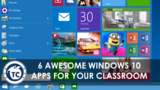
It’s July 29, 2015, a day that will go down as Windows 10 day! I was excited to wake up this morning and download the latest FREE operating system on my Surface 3 tablet. The install was very smooth taking about an hour and a half.
There are several great new features to Windows 10 that are perfect for any classroom. We will be going through these features over the next few weeks here at TeacherCast. I have had the privilege over the last few months of getting to know the Microsoft Education team and I must tell you… this new operating system and it’s new components are going to transform your classroom this year! Check out this exclusive broadcast I did with the Windows 10 team at ISTE 2015.
The first question that always pops up is "What applications are available to use with Windows 10?" Here are my 10 favorite ones so far… in no particular order.
Minecraft: Windows 10 Edition Beta
If you are a teacher, you MUST get into Minecraft. This wonderful world of building blocks is the biggest thing going in the lives of your students. The Minecraft Windows 10 app features a great new feature that allows you and your students to share your experiences over Xbox LIVE GameDVR. Check out this awesome interview I did with the Minecraft team from ISTE 2015
If you are a teacher, you MUST get into Minecraft. Learn How Today!Click To Tweet
Microsoft Edge
Say goodbye to Internet Explorer and say hello to the new Microsoft Edge. This new browser is clearer, sleeker and much faster than it’s predecessor. Using your Surface tablet or other touch device, Microsoft Edge now lets you WRITE on the web. Once you have marked up your website, you can then share it with your students using OneNote or other social media tools.
Adobe Photoshop Express
Are you looking to take your tablet devices on field trips? Adobe Photoshop Express is the perfect lightweight companion to get students started in graphic design and photo editing.
Educational Podcasting Today
Ok… Shameless plug here. Recently launched at the ISTE Conference, our new app is designed to help every educator learn how to create AWESOME podcasts and design top notch websites using WordPress. Check it out today! Learn how you can make an awesome app for your classroom just like I did!
Microsoft OneNote
OneNote is the digital notebook for all of your classroom needs. It can be used to store text, photos, PDF’s, audio, video and just about anything else you can think of. OneNote gives you the ability to type, write, and draw right on your documents to create the perfect handouts and lessons for your classrooms. Are you searching through websites for classroom materials? OneNote is the perfect solution for clipping and organizing all of your web content. Check out the interview I did with Microsoft OneNote from ISTE 2015
Check out the AWESOME Purple Capes you get to wear when you are a OneNote Avenger?Click To Tweet
Symbaloo
I have been a huge fan of Symbaloo for many years. Symbaloo allows you to curate the web very easily and very quickly. Simply download and log into the free Windows app and you will have access to all of your cloud documents. Your students will love having a massive amount of content right at their fingertips.
Stay tuned to TeacherCast we we explore and share the amazing new world of Windows 10. Do you have a favorite Windows 10 app? We would love to hear about it. Please leave a comment and link below sharing how you will be using Windows10 in your classroom.
Jeffrey Bradbury
.
Blog
.
<span class='date ' tip=''><i class='icon-time'></i> Aug 05, 2015 03:53am</span>
|
|
The other day I was daydreaming while playing around on YouTube. While I was searching for background music to put on while podcast editing, I came across this pretty awesome video. As a child of the 80’s (weren’t we all?) the nostalgic themes from Super Mario Bros will forever be in my heart. Enjoy this pretty cool video. Oh yeah… the piano is SHAPED LIKE A NINTENDO!
Jeffrey Bradbury
.
Blog
.
<span class='date ' tip=''><i class='icon-time'></i> Aug 05, 2015 03:53am</span>
|
|
Welcome to the 100th episode of the TechEducator Podcast. Our show started in February of 2013 with an idea to create a demonstration based round table video/audio show. Sam Patterson, Jeff Herb, Jon Samuelson and myself created the first TechEducator Podcast. Since that time, we added Josh Gauthier and David Saunders to create a dynamic weekly live educational podcast that we are all very proud of. Thank you for being apart of 100 great educational podcasts.
The TechEducator Podcast is a weekly round table discussion about current topics in educational technology. For more information, please visit www.techeducatorpodcast.com.
Many great ways to participate in the TechEducator Podcast.
TechEducatorPodcast.com
Follow us Live on Video: http://www.TeacherCast.tv
Leave a Voice Mail: http://www.TeacherCast.net/voicemail
Email: feedback@Teachercast.net
Twitter: @TechEdShow (http://www.twitter.com/techedshow)
Hashtag: #TechEducator
Hosts:
Jeff Bradbury - TeacherCast.net - @TeacherCast
Jeff Herb - InstructionalTechTalk.com - @InstTechTalk
Sam Patterson - MyPaperlessClassroom.com - @SamPatue
Chris Nesi - Education the Nesi Way - @MrNesi
David Saunders @DesignSaunders
Josh Gauthier @mrgfactoftheday
Thank You For Your Podcast Reviews
Are you enjoying Educational Podcasting Today or other shows on the TeacherCast Network, please share your thoughts with the world by commenting on iTunes today. I enjoy reading and sharing your comments on the podcast each week.
Ask Me Your Podcasting or WordPress Question
Are you interested in starting your own podcast? Do you need help creating an awesome WordPress website? I am available for 1:1 consulting. Please visit my homepage and I will help you launch your personal brand today!
Contact Me
Host: Jeff Bradbury @TeacherCast
Email: info@teachercast.net
Voice Mail: http://www.TeacherCast.net/voicemail
YouTube: http://www.TeacherCast.net/YouTube
iTunes: http://www.TeacherCast.net/iTunes
Check Out More TeacherCast Programming
TeacherCast Podcast (http://www.teachercast.net/tcp)
TeacherCast App Spotlight (http://www.teachercast.net/appspotlight)
Educational Podcasting Today (http://www.educationalpodcasting.today)
The TechEducator Podcast (http://www.techeducatorpodcast.com)
View LIVE Professional Development from TeacherCast
Watch LIVE: http://www.TeacherCast.tv | Broadcasting Schedule (http://www.teachercast.net/showcal)
TeacherCast Broadcasting Community: http://www.TeacherCast.net/broadcastingcommunity
Need a Presenter?
Jeff Bradbury (@TeacherCast) is available as a Keynote Speaker, Presenter, or to Broadcast your conference LIVE!
Jeffrey Bradbury
.
Blog
.
<span class='date ' tip=''><i class='icon-time'></i> Aug 05, 2015 03:53am</span>
|
|
I didn't think I would survive, but I did. I had 5 presentations/trainings to do in 7 days. What was I thinking?I had sent in two proposals for the Midwest Technology Conference way back in October, and our district PD day consisted of technology professional development the entire day, and it all landed on the same week. Through much prayer and dedication, I made it through.I have attended the METC conference for the past 7 years. Some years are better than others, but for the most part it is a great conference. I always get excited about having the opportunity to meet other "techies" and hear about the latest and greatest technologies available for the classroom. I always leave pumped up, motivated, and ready to fight out the rest of the school year.This is the 3rd year I have been a presenter.Year 1- My topic was "Motivating Gifted students through the use of technology"Year 2- My topic was "To Thinkfinity and Beyond"This year, I presented on two different topics "iPads more than Just Apps"and "Using Social Media to Communicate with the School Community"I want my kids to be creators not just consumers!Producers publishers and collaborators
Patricia J. Brown
.
Blog
.
<span class='date ' tip=''><i class='icon-time'></i> Aug 05, 2015 03:53am</span>
|
|
As educators we want to create awesome lessons and projects for our students, but we all struggle with just one problem... TIME! Our days, weeks, and hours are structured as such that we always have very little time to cover very complex content. Prime example: You have this great idea for your students to create a video project to show their learning of a science lesson they just completed, but you don't have a week to spend doing it with iMovie, so you just X the whole project. This happens all the time, and who does it hurt? Our students!I had a the opportunity to attend a workshop on "5 Minute Mobile Projects" for students at the Midwest Technology conference. The awesome presenter was Greg Lawrence. He made a great point that technology should not just be a replacement for the pencil, because eventually the computer will be just a another tool students will get tired of using. "Just transferring the analog to the digital technology makes technology the new pencil", Greg said. He gave me some great examples of creating authentic projects that only take 5 minutes. I am going to share some ideas I got from attending his session, as well as some of my own, to give you some practical ideas for integrating NET-S & Common Core, as well as SAVE TIME!"Technology is an important tool, but if the tools is only used in traditional ways, then TRANSFORMATION will not take place" -Project Reform Ed.The kids we teach in 2013, are a part of the Mobile Generation, and Digital Natives. We must ensure that our students are not just "content consumers", but PRODUCERS, PUBLISHERS, and COLLABORATORS!Here are some great examples of mobile projects you can complete with students in minutes.Camera App/PhotoBooth - Using the camera app on the ipad, iPod Touch, or iPhone, iMac, Macbook AirWays to use it:Reading fluency- students record themselves reading a book, passage, or an essay that they wrote. Pictures- Snap pictures of specific objects in the classroomRecord directions for completing a task, or for showing understanding of a concept.Share visually in math or other subject areas. Video the classroom to find angles and shapes.Pic collage-add pics n captionsWays to use it:Take images and create a photo collage. Find specific items ( ex: find red objects, or objects that rhyme, or start with the same letter of the alphabet)Label parts of picture (ex: parts of a plant)Check out this 5 Senses Project I did with this adorable little kindergartenerHere is another option for using Collages in the classroom.Technology Tailgate: InstaCollagePro and IdiomsAuto Rap & SongifyWays to Use it:Make a song out of a topic to show understandingCreate songs as study guides for tests or quizzesCheck out the one I created for the Order of Operationshere The options are limitless!Skitch Ways to use it:Take photos and annotate them by adding text, shapes, and symbolsFind shapes around the classroom. Label parts of a plant, or planets in the solar system.Newsbooth-create news topic Create your own news headlineMorfo Ways to use it:Make images come alive- Figures in History, or animals. Students could research a famous person, or animal, then give it a voice and animation within minutes.See a sample belowQR CODESAllows you to create and scan QR codesHave students "beam" questions for other students to answer, by creating quiz or test questions about a topic.ORWays to use it:Create QR codes for sight and vocab words for students.QR Beamer & Inigma Scavenger HuntsExit slips w/ QR codesInformation explaining work, or art.Add a QR code to access a website or formCheck out an example of Kindergarten sight words ( scan the barcode and listen to the voice pronouncing the word)Do you ever get tired of repeating directions? Use a QR code to record voice, or provide written instructionsEDUcreations or ScreenCHOMPWays to use it:Create an instant video showing knowledge of a topicComplete worksheets( An app and website)Animoto(An App & website)Ways to use it:Create professional looking videos in minutesCreate a video showing understanding of a topicResearch results from a problem-based learning projectHighlighting a special event(An App & website)Ways to use it:Create beautiful visual masterpieces, and add your voice to describe the picture. Take it one step further add attach a QR code
Patricia J. Brown
.
Blog
.
<span class='date ' tip=''><i class='icon-time'></i> Aug 05, 2015 03:53am</span>
|
|
I discovered Mystery Skype! Where have I been? After doing a little afternoon techie browsing, I came across a Mystery Skype lesson. For our 1st annual Digital Learning Day my school participated in Mystery Skype. Basically, two classrooms Skype each other, and ask each other questions to try and figure out where the other class is located.How we did it?I started out be soliciting teachers who were interested, then I provided an informational session for the teachers to gain more information.Why I love Twitter--- When I got word of this exciting experience, I quickly ran to twitter to get any and all of the information I needed. Of course there were plenty of chat tags that included #mysteryskype #skypeintheclassroom. #skype even ReTweeted me a couple of times to point me in the right direction. I went to twitter to find out ways other classrooms were using Mystery Skype, and to find a classes that were interested in skyping with my classrooms. This didn't take long, there are so many wonderful educators already on board with skyping in the classroom.Next, I created a mini-lesson for the teacher and students to introduce them to mystery skype and how it all worked. The kids were so excited after that lesson!We spent a few days practicing. I got other teachers to practice skyping with them from another building, and they pretended to be in another city, and they had to guess where they were. Everyone enjoyed it.On the big day, I could tell the kids were excited, but a bit nervous. I just reminded them to focus on what we practiced, and they would do just fine.Check out our video highlighting this fantastic experience!More about digital learning day hereI was able to faciliate 6 different skype sessions on that day, and the experience was phenomenal! The students, and teachers loved it!
Patricia J. Brown
.
Blog
.
<span class='date ' tip=''><i class='icon-time'></i> Aug 05, 2015 03:53am</span>
|
|
What are they?This cute little girl describes using QR code in her classroom. (Her accent is so cute)Web definitionsA QR Code is a matrix barcode (or two-dimensional code), readable by QR scanners, mobile phones with a camera, and smartphones. The code...en.wikipedia.org/wiki/QR_codesQR CODES 101 GlogsterHow can you use them?Create computer generated graphs, upload them to fotobabble, Add your voice then create a QR codeGreat App for scanning/Reading QR Codes w/ KidsThere are so many different websites available to create QR codes, here are some of my favs!Websites for creating QR codes: http://www.the-qrcode-generator.com/http://qrcode.kaywa.com/You can also right-click on a link in the GOOGLE CHROME BROWSER, and it provides A QR code option. Create a QR code w/ Art projectsRecord students describing their art projects Do you ever get tired of repeating directions? Use a QR code to record voice, or provide written instructions Ways to use QR codes in the classroom:http://www.schrockguide.net/qr-codes-in-the-classroom.htmlCreate clues on worksheetsScavenger Hunt in the classroomlink to picture, voice recording, or presentationLink to websites using an iPadAllows you to create and scan QR codesHave students "beam" questions for other students to answer, by creating quiz or test questions about a topic.ORWays to use it:Create QR codes for sight and vocab words for students.QR Beamer & Inigma Scavenger HuntsExit slips w/ QR codesInformation explaining work, or art.Add a QR code to access a website or formCheck out an example of Kindergarten sight words ( scan the barcode and listen to the voice pronouncing the word)More ideas for using QR codes: http://artofpossibilityforteachers.blogspot.com/2013/01/techie-thursday-using-qr-codes-in.htmlhttp://flapjackeducationalresources.blogspot.com/2012/02/qr-code-math-freebies.htmlCreate QR Code Class Scavenger Huntshttp://www.classtools.net/QR/This article has some great information about using QR codes from a classroom teacher's perspective.Five Reasons I love Using QR Codes in the Classroom
Patricia J. Brown
.
Blog
.
<span class='date ' tip=''><i class='icon-time'></i> Aug 05, 2015 03:52am</span>
|
|
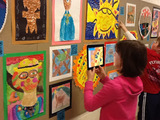
QR CODES are just so amazing.Last night, we had our annual Spring Art show, with a little twist. We made it interactive with QR codes!I recorded the voices of all 400+ students on the website vocaroo.com. This website is so simple to use, and the best part is it allows you to create a QR code right on the website, and even share via email, facebook, or twitter.I sent an email to parents prior to the event to download a QR code app reader. Art show flyerParents used a QR code scanner on their device (ipad, smartphone) to scan the QR code. They then were able to hear their child talk about their art piece. Students shared what their inspiration was for creating their projects, the materials they used, and the steps they took, in creating their masterpieces.This past year I recorded all of the students voices and it was quite time consuming. At our school, the each student selects 2 pieces from their portfolios to display at the art show that takes place at the end of the school year. This year I am going to collaborate with the art teacher and we will have students write reflections as they complete each piece, so they don't have to go back and remember how they created it months later. I will definitely have students record their own voices this time.Check out what we sent home to parents hereSo this is the process for creating QR codes...Use www.vocaroo.com Record audioSave audioClick on the QR code link to generate a QR code.Copy and paste the code onto a word document, then add the name of the student at the bottom. ( you may want to resize them) The reason I put them in a word document is to label them when you are doing a large amount. When QR codes are printed they look exactly the same.Print them. I print a class at a time, and I am sure to list the order of the recordings somewhere, or add the names & class at the bottom of each QR code.You can also teach students how to do this in the computer lab or on laptops.Before the show-- I sent home a flyer explaining the show to parents, and asking them to download a QR code reader like iNiGMA. I also had ipads available for checkout.Also, remind them to bring earbuds.Hope this helps! Much success!
Patricia J. Brown
.
Blog
.
<span class='date ' tip=''><i class='icon-time'></i> Aug 05, 2015 03:52am</span>
|