Blogs
|
My kids absolutely love super heroes. Well, what boys don't. Even though I can't physically fly, jump through buildings, or stretch myself to the back of my car to grab one my boys while driving, I still like to consider myself a superhero when it comes to using technology. Becoming a tech super hero didn't happen to me overnight. It took some specific planning, and dedication to improving my craft. Focusing on one tool or a few tools at a time, is key to making sure you don't find yourself knee deep in tech craziness and overwhelmed, but in fact, you find yourself ahead of the game, and you want more, and you can handle it!One of the simple ways to begin to unleash your tech superpowers is to build a strong PLN, your Personal Learning Network. A personal learning network are people/places you go to gain knowledge, share knowledge, and collaborate with others of like minds and interests. Let's face it, as awesome and fabulous as we all are, we can always learn something from each other. This can easily be done virtually through social networks such as twitter. Twitter is one the easiest and common ways to develop a strong PLN. In order for it to be valuable, you also need to be a contributor. You have awesome things to share with others. Following people who share the same role you do in education, or what you aspire to be, is key to staying connected, and current with tech trends. When corporations want to get the word out on their new products, they usually take to twitter and other social media first. Twitter allows you to create your own learning opportunities, anywhere, and anytime. The connections you make through social media lead you to a wealth of knowledge that is not made possible without it.Blog & Follow Blogs - Thousands of educators are blogging everyday and have wonderful ways they are using technology in their classroom. Why re-invent the wheel? If you find someone who has great ideas that they are sharing through their blog, why not try them out? Well some of you might say, "they make it look so easy, there is no way I can do that with my kids!" Let me let you in on a little secret, most of us have no clue what we are doing. We practice trial and error until it works out. Some lessons turn out fantastic, others are a flop. But.. the one's that flop, we look at them and figure out why, we tweek it and make changes, so when we do it again, it turns out better. The most important thing is you can't be afraid to try. Pretty soon, you will feel comfortable with what you are doing in your classroom, and you want to blog yourself. You are doing fantastic things in your classroom everyday, why not document them through a blog. Don't be shy, give the world a glimpse into your classroom.Some great blog sites to get you started are: blogger, edublogs, and wordpress.Still looking for ideas of tried and true ways other educators are using technology in the classroom? Try searching on Pinterest. There are so many edtech pinterest boards, where people post apps and blogs to try out, as well as ideas for using and iPads, and other technologies. If you are a visual person, pinterest is perfect for you.Teachers Pay Teachers- If only I would have thought of this! Teachers are taking what they have created for their classroom and sharing it with others. Some items for free, some are at a low -cost. Let's just face it, a lot of us don't have the time to spend hours developing lessons and projects for our students, due to various reasons, but having access to thousands of projects and lessons at your finger tips delivers a powerful one-two punch. Save time by browsing through resources other teachers have perfected, and use them to provide meaningful learning experiences for your students.Participate in webinars, online classes, or tech forums. There are so many free webinars available to educators or various topics, covering various tools. Join organizations like TCEA, or Simple K-12, or ACDS. Most webinars are archived, so even if you are not able to catch the live one, you can go back and listen to the recording. The cool thing about that is you can stop, rewind, and pause when you need to, and take notes easily.Learning from other educators or tech superheroes is a sure way to strengthen your tech knowledge, and help you unleash YOUR tech savvy super powers.want more? Look here
Patricia J. Brown
.
Blog
.
<span class='date ' tip=''><i class='icon-time'></i> Aug 05, 2015 03:49am</span>
|
|
Using technology everyday and teaching others about it is my passion. As a 21st century educator, it is quite a difficult task, rather a huge challenge to prepare students for college and work-place experiences that don't even exist yet. Ten years ago we did not have facebook, instagram, or twitter, but now corporations pay big bucks using social media to market their products. Each year, I am seeing more and more students entering elementary school with technology knowledge greater than ever before. Our elementary students now, have never had a time in their lives where technology wasn't present. That being said, why not embrace their reality, and allow their classroom learning experiences to mimic what they encounter everyday. Afterall, that's when real learning takes place right? One device our students are using more each day are iPads. I am often shocked to hear educators shun the thought of giving kindergartners ipads, for fear that they will break them, or treat them like other toys. It is almost impossible to capture the value a device like an iPad has in a kindergarten classroom. There are ton of practical uses, tips and tricks, and must have-apps available for the K-5 classroom. Not sure how to get started? Here are some easy ways for getting started with iPads in your elementary classroom. You don't have to have a library of 100's of iPad apps. Try and find apps that have multiple uses instead of apps that have a specific purpose, such as practice/review apps. Pick your favorite, and use them for multiple projects. First and foremost!Establish iPad rules, routines, and procedures Make sure all students know your expectations when using iPads in your classroom. One way to do this is by completing an iPad orientation lesson. Students learn the rules of the iPad, and learn basic skills. Try having them earn an iPad licensehere or check out these simple iPad introductory lessons hereQR Codes- Using QR codes in an elementary classroom can be a lifesaver! Create QR codes for sight words, math problems, record your voice giving directions in work centers. Download an App like inigma or any QR code reader, and your options are endless. Read more about QR codes EDUCreations- This must-have App is very simple for kids to use at any age. This app can be used as a simple 1 minute assessment, or more extensive presentation. Skitch or picCollage are both great apps that allows you to annotate images. Have students find objects in the classroom, take pictures, then label their work - whether it be math, word work, or science. It is a great go-to app for quick projects and assessments.Most importantly, you don't have to reinvent the wheel. Why not find educators just like you, who have tried and true ways of using iPads in the classroom successfully.Try pinterest, twitter , and follow those educatorsAlso check out my list of other great iPad apps on my websiteCheck out my iPad Mania Thinglink
Patricia J. Brown
.
Blog
.
<span class='date ' tip=''><i class='icon-time'></i> Aug 05, 2015 03:49am</span>
|
|
International Dot Day was September 16th. It is all about being creative and making your mark on the world. The day is based on the book by Peter H. Reynolds, The Dot. It is a wonderful story about a little girl who doesn't think she can draw. She makes a dot and then builds on that one piece of art. Her teacher tells her its all about making your mark on the world and persevering. More about dot day here http://www.thedotclub.org/dotdayLast month, I had the opportunity to help 2nd graders celebrate International Dot Day.Their teacher over at Travel with 2T created cool shirts for cool kids by her, with love.After reading the story and writing down their ideas for how they will make their mark on the world, they used the drawing pad app on the iPads to illustrate how they would make their mark. Some kids said things like "help others", "pick up trash", "teach people art", just to name a few. They worked really hard on them.After they finished their drawings, and typed their sentence, we took screen shots of each dot picture on the ipad, and then imported all of the photos into a PowerPoint presentation, (drag and drop 1 photo on each slide), then we uploaded the presentation to present.me -a cool storytelling presentation app that allows you to create a video with a presentation slide on one side of the screen, and a video of a person on the other side. The kids had a fun time recording themselves on their projects. Since you can't start and stop the recording, we had to get all the kids in a line, ready to go when the next person was done. It only took 3 takes! Check out our cool video! check out more photos from dot day here International Dot Day is a huge deal. Classrooms around the world participate in Skype and other activities sharing how they celebrate Dot day.
Patricia J. Brown
.
Blog
.
<span class='date ' tip=''><i class='icon-time'></i> Aug 05, 2015 03:49am</span>
|
|
AURAS-Did you know the $20 (both sides!) has a built in Aura? Set up an account and create Auras: https://studio.aurasma.com/loginA couple of places to get your tools for creating auras: Bottom left of screen Right-hand side of screenHelpful hint: Use the "i" for help. The tutorials are wonderful! Channels Trigger ImagesOverlaysScreens shots above came directly from the Aurasma website: www.aurasma.comFour easy steps to create an aura:Upload a trigger image.Upload an overlay image or video.Create a channel for your Auras to go in.Add the finished Aura to your channel. View an aura: Auras are viewed won a mobile device, using the Aurasma App.Download Aurasma tutorial https://www.dropbox.com/s/j8zb3fexjskk8ha/aurasma-pdf1.pdfVideo resource for creating Auras: http://www.youtube.com/watch?v=ZkYZHCRKJbohttp://www.technologytailgate.com/2013/07/how-to-use-augmented-reality-in.htmlIdeas on how to use Auras in the classroom:http://www.pinterest.com/search/pins/?q=aurasmahttp://maziocreate.hubpages.com/hub/How-To-Use-AURASMA-In-The-Classroom
Patricia J. Brown
.
Blog
.
<span class='date ' tip=''><i class='icon-time'></i> Aug 05, 2015 03:49am</span>
|
|
Here are a collection of some great 21st century learning resources for Reading and Writing. Some are for students, others are for teachers. Either way, check them out today!PBS Kids- http://pbskids.org/lions/storiesStoryline Online- http://www.storylineonline.netOxford Owls- http://www.oxfordowl.co.uk.FindBookReadez- www.readeez.comBooks Should Be Free http://www.booksshouldbefree.com/genre/ChildrenTween Tribune- www.tweentribune.comNational Geographic Kids- http://kids.nationalgeographic.com/kidsTime For Kids-http://www.timeforkids.comTumbleBooks- http://www.tumblebooks.com/libraryPicture Book Month- http://picturebookmonth.com/activities21st Century Learning ResourcesPartnership for 21st Century SkillsNCTE’s Framework for 21st Century Curriculum and Assessment A Year of Readinghtto://readingyear.blogspot.comFed Up With LunchfedupwithlunchSharpreadhttps://sharpread.wordpress.comWatch, Read, Connect (John Schumacher)http://mrschureads.blogspot.comKevin’s Meandering Mindhttp://dogtrax.edublogs.orgTwo Writing Teachershttp://twowritingteachers.wordpress.comNerdy Book Clubhttp://nerdybookclub.wordpress.comRead, Write, Reflecthttp://readwriteandreflect.blogspot.comGoodreads- Meet your next favorite bookFacebook BookLove Book TalkAn online book group designed to discuss and share ideas around Penny Kittle's new book BOOK LOVE: Developing Depth, Stamina and Passion in Adolescent Readers.Facebook Centurions Book GroupA group of readers who have set a goal to read 112 or more books during the year, 2012. Members will be posting month by month their titles, highlighting at least one pick to total twelve favorites for 2012. All genres accepted from picture books to poetry anthologies to professional texts. If you are primary, then your picture book recommendations are certainly appreciated.http://www.shelfari.com/Shelfari is a community-powered encyclopedia for book lovers.Create a virtual bookshelf, discover new books, connect with friends and learn more about your favorite books - all for free.VoicethreadVoiceThread is a cloud application, so there is no software to install. The only system requirement is an up-to-date version of Adobe Flash. VoiceThread will work in any modern web browser and on almost any internet connection.CreatingUpload, share and discuss documents, presentations, images, audio files and videos. Over 50 different types of media can be used in a VoiceThread.CommentingComment on VoiceThread slides using one of five powerful commenting options: microphone, webcam, text, phone, and audio-file upload.SharingKeep a VoiceThread private, share it with specific people, or open it up to the entire world. Learn more about sharing VoiceThreads.Biblionasium- A cool new reading community for kids. Fun for kids, valuable for parents and teachers.Apps and Sites for Reading and WritingSkype an AuthorPoppletWallwisherLinoitEdmodoGlogsterSubtext for the iPadDuck Duck MooseToon Book ReaderSkeleton CreekPossum Magic Google MapWonderopolisMeet Me at the CornerKidsreadsScience News for KidsSI Kids BlogsWordleZoobornsThe Global Read Aloud ProjectWorld Read Aloud DayKidblogsTeach Mentor Texts-It’s Monday! What Are You Reading?A Year of Reading-Poetry FridayTwo Writing Teachers-Slice of Life ChallengeThursday is App Day at Two Reflective TeachersJog the WebBest of 2012 Booklists Jog the WebSymbalooVideosQR Code Crazy!Percy Jackson Google Maphttp://learnmesumthin.blogspot.com/2010/02/tracking-percy-jackson-with-google-maps.htmlThe Exquisite Corpsehttp://read.gov/exquisite-corpse/Book TrailersShark Vs. TrainBigger than a BreadboxDon’t Let the Pigeon Drive the BusBook Reviews at McKillop Elementary SchoolParkway Film FestivalGaming in the ClassroomIgnite/Pecha Kucha Project
Patricia J. Brown
.
Blog
.
<span class='date ' tip=''><i class='icon-time'></i> Aug 05, 2015 03:49am</span>
|
|
Want really quick ways to make a professional looking video and projects that will WOW your parents, kids, and co-workers?Take a look at these three fabulous tools!AnimotoIf you are an educator, you can Create a free account and have access to more templates, and it will allow you to have more time to record videos.Once you register for a regular free account, you have to Apply for an educators account here http://animoto.com/education/classroom It is quick and easy! Every year, you have to reapply. Your students can create accounts too, but the cool thing is most elementary kids don't have email addresses, so Have the students also set up Animoto accounts. FAKE EMAIL ADDRESSES may be used: student4F@gmail.comTo Create Videos:Log in: and click the "Create" button: Choose a style. Click on "All" to see all that is available.There will be a short preview of the template.Once the template is chosen, click on "Create Video." Follow the prompts to add images and music:Several Ways to add pictures to the Video. The two most popular for use: It is never too late to go back and make changes to a video, even after they have been published. Simply click on the gear, located in the lower right corner, and it will make a copy of the video for you to edit.Examples of Animoto Classroom VideosSoaring at Daily 5Old Bonhomme Interactive Art ShowOB Character Education Present.meCreate super easy video presentations Create a free educators account Note: You used to not be able to start/stop a presentation during a recording, but they have since changed that feature! You can also trim off your mistakes as you go. What a great tool!Here is an example of a simple project completed by 2nd graders.https://www.present.me/view/92816-dot-day-present-meOther ways educators are using present.me hereThinglinkThingLink interactive images help students develop 21st century skills and enrich their enthusiasm for learning. Teachers can use ThingLink images as interactive learning modules (ILMs) that activate and inspire students with creative and effective learning experiencesthinglink.comWhen you create a thinglink you can upload an image from your hard drive, the web, public flickr, or facebookAdd video, sound, or weblinksExamples of Thinglinkhttps://www.thinglink.com/scene/431836543494127620https://www.thinglink.com/scene/432658745378471937Here is a pinterest board with examples of ways to use thinglink in the classroomhttp://www.pinterest.com/my4brownsons/thinglink-educational-examples/
Patricia J. Brown
.
Blog
.
<span class='date ' tip=''><i class='icon-time'></i> Aug 05, 2015 03:49am</span>
|
|
One of Digital Learning Day’s partners, myON, is offering unlimited access to their award-winning, enhanced digital books for PreK - Grade 8, through June 30, 2014.myON books include flexible supports like word and sentence highlighting, an embedded dictionary, and even naturally-recorded audio by professional actors and actresses, at just the right tempo for the reading level of each book. With access to over 4,000 digital titles (70% of which are non-fiction), this is a great free tool for students, teachers and families. Take a look!To access myON books, follow these simple steps:Step 1 - Click here For easy access - bookmark this page. (Please note: You can also login at www.myON.com. There you will need to add a School Name: 2014 Digital Learning Day MN District)Step 2 - Enter the following information:Username: books (case sensitive)Password: books (case sensitive)Step 3- Click on submit, select a book and start reading!For quick tips from the myON team, download the Teacher Tips.Read online or offlineYou can read on myON from any web-enabled device. And, you can download up to 20 books for offline reading, as well, using our free mobile apps.• myON iPad app, visit iTunes• myON Android app, visit Google Play• myON Kindle Fire HD app, visit Kindle storeMore About MyOn hereTumbleBook Library is an online collection of TumbleBooks animated, talking picture books which teach kids the joy of reading in a format they'll love. TumbleBooks are created by adding animation, sound, music and narration to existing picture books in order to produce an electronic picture book which you can read, or have read to you.Reading to children has been repeatedly shown to improve their reading, writing and communication skills, logical thinking, concentration and general academic aptitude… as well as inspire a love of reading. The Screen Actors Guild Foundation records well-known actors reading children’s books and makes graphically dynamic videos so that children around the world can be read to with just the click of a Storyline Online video book image.Many teachers play SAG Foundation’s Storyline Online videos for their students. Doctors and nurses play Storyline Online videos for children in hospitals. And parents and children around the world watch Storyline Online videos millions of times every month.
Patricia J. Brown
.
Blog
.
<span class='date ' tip=''><i class='icon-time'></i> Aug 05, 2015 03:48am</span>
|
|
I had the pleasure to attend and present at the Midwest Technology Conference in February. Now that things have settled a bit, I have finally had the time to debrief and organize all of the valuable information I received. I left feeling refreshed, revived and rejuvenated ready to tackle the last few months of school. This conference was packed with experts sharing their knowledge with cool and exciting ways to integrate technology in the classroom.I co-presented two workshops this year.iPads More Than Just Apps- Using the SAMR Model to Meet Common Core iPads More Than Just Apps-Using the SAMR Model to Meet Common Core from msedtechieandClassrooms Without Walls- Using Social Media to Connect Inside and Outside of the Classroom Classrooms Without Walls- Using Social Media to Connect with the School Community from msedtechieHere are a few other takeaways from this dynamic conference!Social Studies:http://lodgemccammon.com/ - tons of resources on creating effective flipped videos. Includes research for what works and doesn’t work for flipping your classroomHere’s the link to the "Hey Missouri" song/Flash dance he shared:http://www.youtube.com/watch?v=3_9RGjKB2nEThere are also movements that go with the song that you can find herehttp://www.youtube.com/playlist?list=PLkFXQnAzKU7_p4iwmT60Vb5suH2HdEBOd Popcorn Web Maker - This is a site where you can essentially make a pop up video. You create an account, upload your video or find a youtube and then start popping up! Take a piece of video and add pop ups and images that will pop up. Take history channel clips and have students annotate the video. Or pre annotate it. Tellagami App- Create animated avatar videos A great educator, blogger, and presenter to follow- Josh Stumpenhorst @stumpteacher Today's MeetWhile showing a movie have students comment or ask questionsDuring debate or class discussion have students make comments or ask questionsGenerate Word Clouds: Wordle or tagxedo for younger students try abyca word cloud, -Import speeches and see what words come up as dominant Fakebook (classtools.net)Create Instagram accounts and create feeds for the explorers. Fake twitter feeds. Have current events section to follow major news stories. Follow reputable news sources and journalists/reporters in the field. UJamRecord your voice speaking or singing then pick a genre and it turns into a song. Ideas: Include vocab words in a song. Record history, poetry, or notes for a test. Use for Chinese dynasties or African kingdomsVoki Create an animated avatar. You can create an educators account for free.Crazy talk- program that takes a visual and makes it talk. (.99)Put in a picture and then import audio. Deliver a speech as a historical figure and what they have accomplished. Screencastomatic - Free online screencastPaul Bogush15 assessments that don't suck. https://blogush.edublogs.org/2013/06/22/15-assessments-that-dont-suck/Don Goble -6 word video stories http://www.slideshare.net/dgoble/digital-storytelling-metc-14-webMETC eNews student bureauLadue Broadcast Technology students partner each year with the Midwest Education Technology Conference (METC) to provide onsite conference videos of their event.http://lhstv.weebly.com/metc-enews.htmlhttp://fhntoday.com/2014/02/11/honeycutt-kicks-off-metc-with-keynotehttp://www.brentwood.k12.mo.us/metc2014social media - @METCenewshttp://www.schoology.com/Solution for a teacher Web site, assignment submission, and a dozen other things that we do in a dozen different ways, but all in one place.http://www.polleverywhere.com/Ask your audience a question with the Poll Everywhere appAudience answers in real time using mobile phones, Twitter, or web browsersSee your response live on the web or in a PowerPoint or Keynote presentationUsing doc cams with the iPads: http://www.ipevo.com/prods/IPEVO-WS-01-Wireless-Station-for-iPad-and-USB-Document-Camerashttp://www.recesstec.com/handouts/HandoutMETC2014CCSS.pdf - Great resources for teachersLets collaborate: Websites and Ideas for CollaborationWe video: collaborative video making, $4 a month allows multiple log ins... Can make one video at the same time www.Wevideo.com (free as part of Google Apps) EPals: email correspondence, without an email address.... Internet pen pals! http://www.epals.com/Aww App: a web whiteboard, http://awwapp.com/- Global digital scrapbook: everyone tells about your school and community In a collaborative scrapbook, initial web pages and continue discussion through EdmodoRockourworld: project based learning, can create a collaborative book of an idea, can connect with groups around the world, there's a problem posed and you can join groups to start project based learning. The global read aloud: read together and have a hangout and make connections. Global classroom projects: icollaboratory, Kidlink: lower elementary, Flat connections: http://www.flatconnections.com, Hello little world skypers: Skype projects World Read Aloud Day is march 5th!!! Has a link to different authors100 word challenge: International dot day: App available http://thedotclub.org/dotday/www.geniushour.comWebsites I’m in love with now...www.Coffitivity.com- Awesome! Just white noise to help with concentration, check it out.ePubBud: publishing online for free, https://www.epubbud.com/Flips snack: printable, downloaded, embedded, purchase student created books. Need email address or assign them to a "class", http://edu.flipsnack.com/More...Puzzle Kidz is a nice iPad app for creating jigsaw puzzles for kids. The app allows you to take pictures with your iPad and turn them into puzzles. You can also use stock images from Puzzle Kidz. The app offers three levels of puzzle difficulty to that you can create a puzzle whose difficulty isn’t too hard or too easy for your child.Kid Journal App- Free App, photo of the day, prompt. saves it to the calendar to see what happened each day, can also print itOne Minute Reader- Struggling readers need more than just books. They need a structured reading program that applies research-based principles to keep them on track and maximize results.
Patricia J. Brown
.
Blog
.
<span class='date ' tip=''><i class='icon-time'></i> Aug 05, 2015 03:48am</span>
|
|
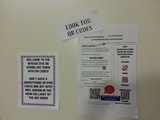
QR CODES are just so amazing.Last year's art show was so amazing we thought we would try it again!Next week our school will have our 2nd Annual Spring Art show. Our art show is not just an ordinary art show. It comes with a little twist. We made it interactive with QR codes!We recorded the voices of all 400+ students on the website vocaroo.com. This website is so simple to use, and the best part is it allows you to create a QR code right on the website, and even share via email, facebook, or twitter.I send an email to parents prior to the event to download a QR code app reader. Art show flyerParents used a QR code scanner on their device (ipad, smartphone) to scan the QR code. They then are able to hear their child talk about their art piece. Students share what their inspiration was for creating their projects, the materials they used, and the steps they took, in creating their masterpieces.Our first year of the event, I recorded all of the students voices and it was quite time consuming. This year, I allowed the older students to record their own voices using vocaroo.At our school, the each student selects two pieces from their portfolios to display at the art show that takes place at the end of the school year. This year, I collaborated with the art teacher and had students write reflections as they complete each piece, so they didn't have to go back and remember how they created it months later.The QR code squares are in blueInteractive Art ShowOur 4th grade students created poetry that went along with art pieces. The QR codes are the poems they wrote with the resident poet, Susan Grigsby. The next level: Next year will move our art show to a new level. We want more of our students to write poetry about their artwork or A How-to- paragraph on the process, or a story about their art pieces.How about incorporating some Aurasmas next year (augmented reality) we could take video of the art creation process, and incorporate that into the art pieces? (in other words... parents can scan the art work with the Aurasma App after subscribing to the school channel, they will see a video of their child creating their art work, and possibly discussing their art.) Just thinking ahead…..I love when we can incorporate technology in less likely places!So this is the process for creating QR codes...Use www.vocaroo.comRecord audioSave audioClick on the QR code link to generate a QR code.Copy and paste the code onto a word document, then add the name of the student at the bottom. ( you may want to resize them) The reason I put them in a word document is to label them when you are doing a large amount. When QR codes are printed they look exactly the same. Or print them as soon as they are done, and write the name of the student on the back to keep them with the right students.Print them.I print a class at a time, and I am sure to list the order of the recordings somewhere, or add the names & class at the bottom of each QR code.You can also teach students how to do this in the computer lab or on laptops.Before the show-- I sent home a flyer explaining the show to parents, and asking them to download a QR code reader like iNiGMA. I had ipads available for checkout.Also, remind them to bring earbuds.Hope this helps! Much success!
Patricia J. Brown
.
Blog
.
<span class='date ' tip=''><i class='icon-time'></i> Aug 05, 2015 03:48am</span>
|
|
Have you started using Symbaloo yet?Symbaloo is a free visual bookmarking site that gives you access to anything you bookmark with a tile from any computer. It takes bookmarking to a whole new level.Check out this awesome thinglink that links you to fantastic symbaloo tutorials.http://www.thinglink.com/scene/434365890574680065
Patricia J. Brown
.
Blog
.
<span class='date ' tip=''><i class='icon-time'></i> Aug 05, 2015 03:48am</span>
|